Maestro — System Architecture
Under the Hood of the Multi-Agent Assistant
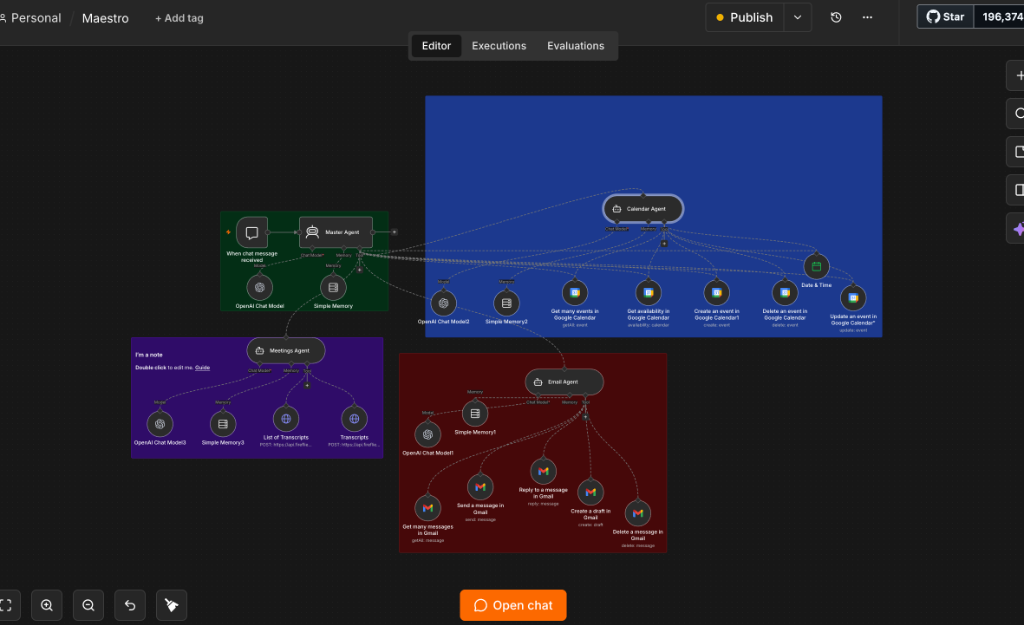
Maestro is built using a hierarchical multi-agent structure. The system decouples distinct productivity scopes into separate sub-agents, coordinated by a Master Agent router.
Technical Architecture Diagram
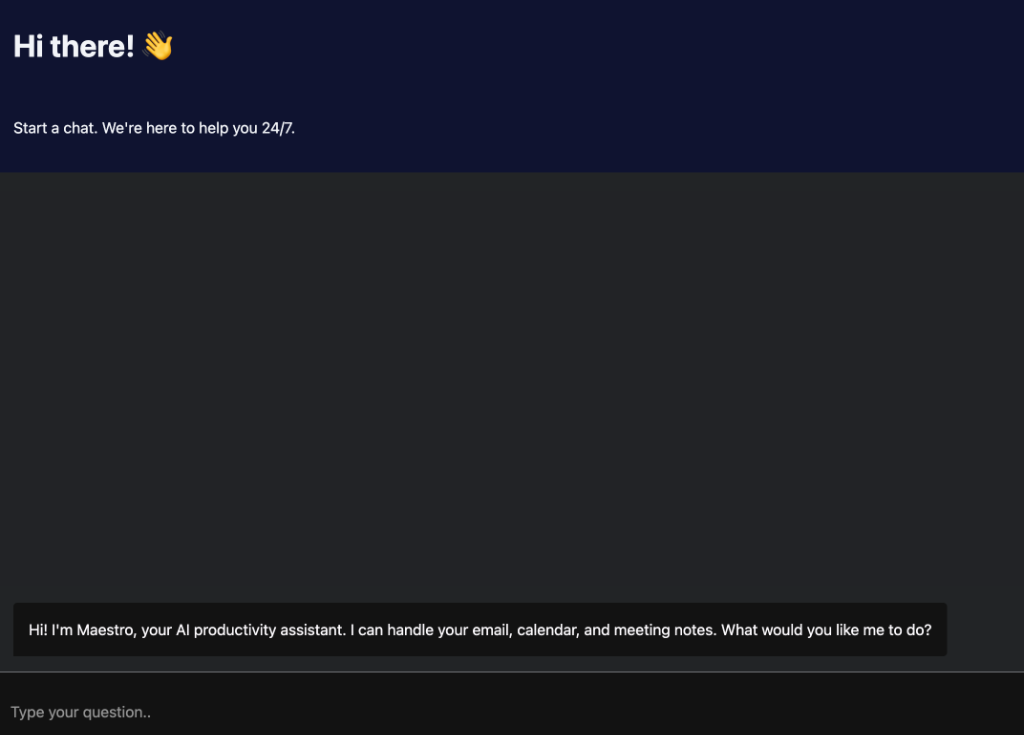
Maestro Chat Web Interface
Recruiters and users interact with Maestro through a clean, responsive web chat interface. The chat interface is connected directly to the n8n Master Agent webhook to handle requests in real time.
Layer Breakdown
What Each Architecture Component Handles
Master Agent (n8n Orchestrator)
Receives the user request via Chat Trigger, analyzes the intent using a central LLM router node, and delegates the task to the appropriate sub-agent based on context parameters.
Email Agent (Gmail Specialist)
Operates Gmail integration node toolsets. Instantiated with OpenAI model scoping to read, search, draft, reply to, and delete emails directly in the user's inbox.
Calendar Agent (Google Calendar Specialist)
Handles appointment booking and event management. Leverages native nodes to search slots, check availability, create new invites, update times, or cancel events.
Meetings Agent (Fireflies.ai Specialist)
Connects to Fireflies.ai API endpoints using structured HTTP Request nodes. Pulls meeting audio transcripts, summarizes notes, and parses action lists.
Technology Stack
Underlying Technologies & API Protocols
The system leverages the following orchestration modules and developer APIs:
See Maestro In Action
Book a 20-minute screen share walkthrough or review the detailed case study.