Case Study: NovaGlow AI
Customer Support Automation Agent
AI that drafts. Humans that approve. Customers that get faster, better answers.
01 — The Problem
Skincare brand support teams are flooded with repetitive, policy-based emails concerning returns, order modifications, shipping delays, and routine product use questions. In typical setups, support agents spend 8 to 12 minutes manually looking up policies in spreadsheets and composing email replies.
This manual workflow causes long response queues during seasonal peaks, inconsistent customer answers that lead to policy violations, and support agent fatigue.
02 — The Solution
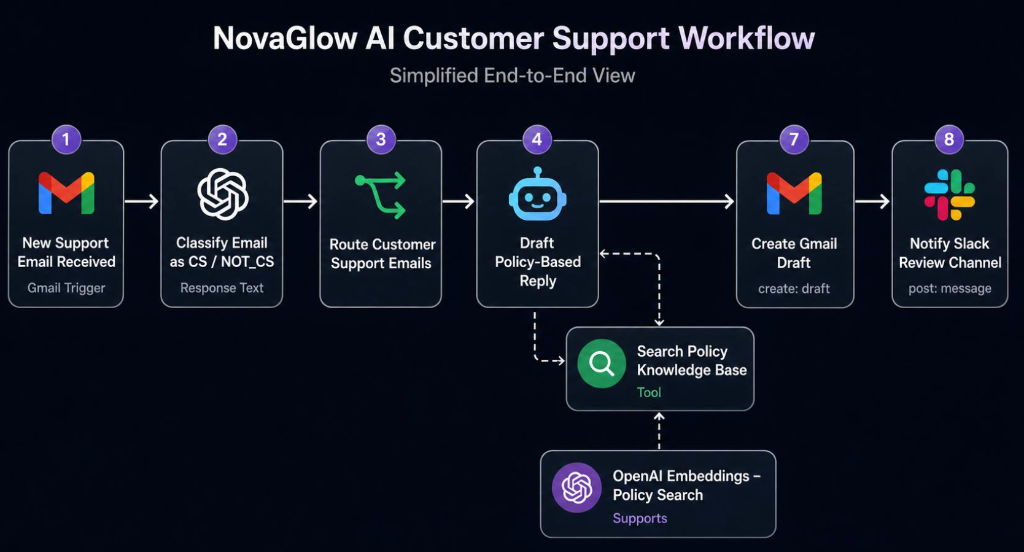
Built an AI-powered customer support workflow system that acts as an intelligent co-pilot for the support team. When an email arrives, the system classifies its intent, queries an internal database for relevant policies, drafts a personalized reply, and hands it to a human agent in Slack for review and one-click dispatch.
03 — n8n Workflow Architecture
The core orchestration is managed via an n8n visual automation workflow. It handles the ingestion, classification, policy lookup (RAG), LLM drafting, and Slack message routing.
04 — Supabase Vector Database
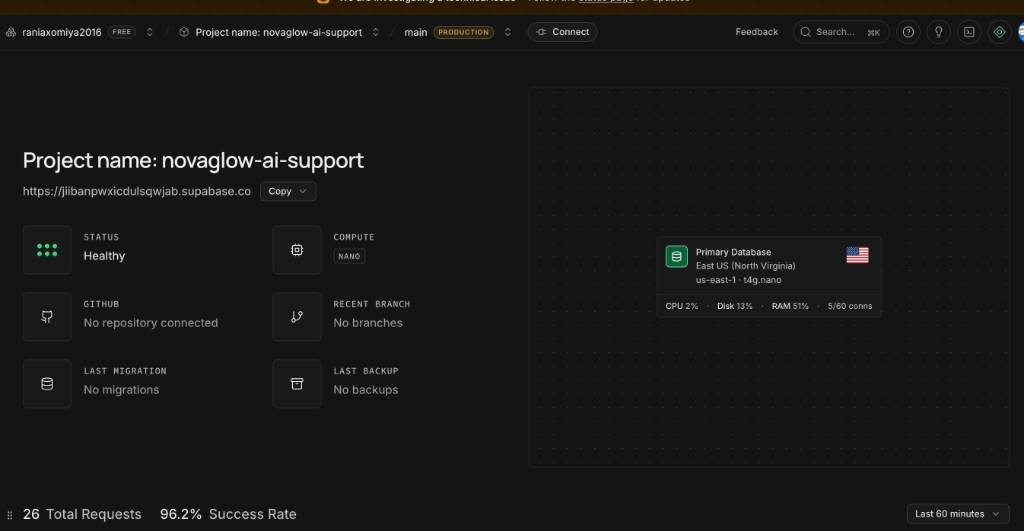
To ensure replies are grounded in company policies, we deploy a production-grade Supabase Vector Store containing chunked policy guides. Text queries are embedded with OpenAI's model and fetched using similarity search.
05 — How It Was Built
-
Step 1: Email Triage and Intent ClassificationGmail API listens for inbound emails. The text is parsed, and OpenAI classifies the intent into specific tags (Return, Shipping, Medical, General).
-
Step 2: Retrieval-Augmented Generation (RAG)The customer query is vector-embedded and queried against the Supabase database. Company return rules or shipping FAQs are retrieved to serve as ground-truth facts.
-
Step 3: Response DraftingOpenAI GPT structures a response adhering to the retrieved rules and adopting a friendly, professional skincare brand voice.
-
Step 4: Human-in-the-Loop Review in SlackThe drafted response, source email, and match confidence are posted to a Slack channel. The agent can edit the draft or click "Approve" to send it instantly via Gmail.
06 — Results & Metrics
07 — Key Learnings
1. **Factual Grounding is Critical:** Using similarity thresholds on Supabase Vector Store ensures the model declines to draft when matching policies cannot be found, preventing hallucinations.
2. **Slack UI Enhancements:** Support agents are much faster using interactive buttons directly inside Slack rather than logging in to a separate web portal.